 Upendra
 Creating Operators
Operators that originate new Observables.
Create— create anObservablefrom scratch by calling observer methods programmatically;Defer— do not create theObservableuntil the observer subscribes, and create a freshObservablefor each observer;Empty/Never/Throw— create Observables that have very precise and limited behavior;From— convert some other object or data structure into anObservable;Interval— create anObservablethat emits a sequence of integers spaced by a particular time interval;Just— convert an object or a set of objects into anObservablethat emits that or those objects;Range— create anObservablethat emits a range of sequential integers;Repeat— create anObservablethat emits a particular item or sequence of items repeatedly;Start— create anObservablethat emits the return value of a function;Timer— create anObservablethat emits a single item after a given delay.
Create
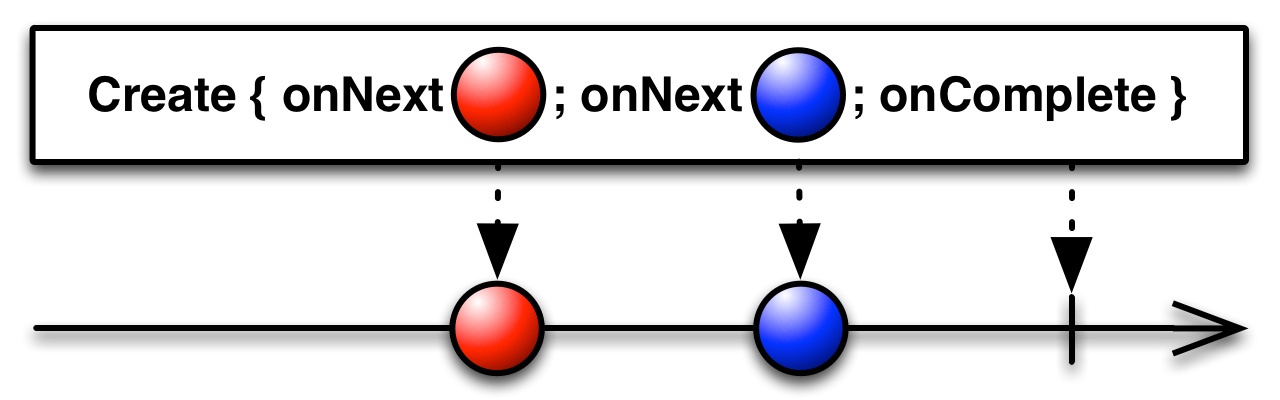
Сreate an Observable from scratch by means of a function. You can create an Observable from scratch by using the Create operator. You pass this operator a function that accepts the observer as its parameter. Write this function so that it behaves as an Observable — by calling the observer’s onNext, onError, and onCompleted methods appropriately.
A well-formed finite Observable must attempt to call either the observer’s onCompleted method exactly once or its onError method exactly once, and must not thereafter attempt to call any of the observer’s other methods.
fun create() {
    Observable.create<Int> { source ->
        try {
            if (!source.isDisposed) {
                for (i in 0..5) {
                    source.onNext(i)
                }

                source.onComplete()
            }
        } catch (e: Exception) {
            source.onError(e)
        }
    }.subscribe(
            { result -> println("Next item = $result") },
            { println("onError") },
            { println("onComplete") }
    )
}
Output:
Next item = 0
Next item = 1
Next item = 2
Next item = 3
Next item = 4
Next item = 5
onComplete
Defer
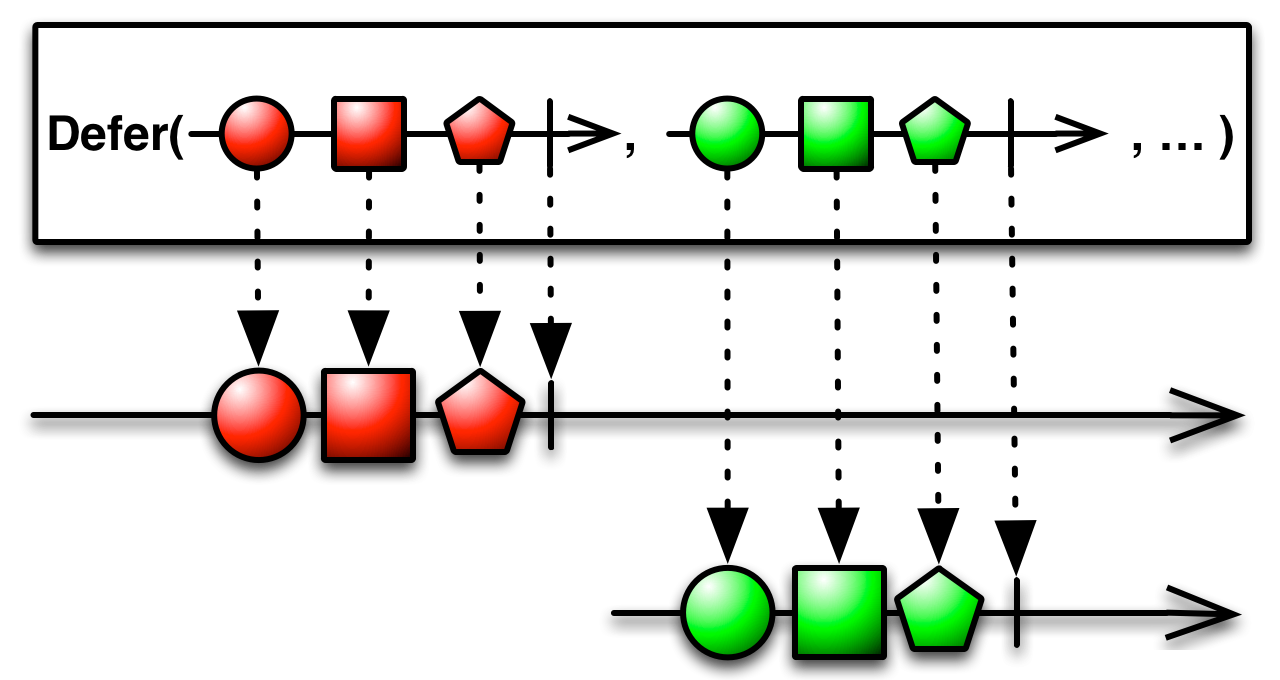
Do not create the Observable until the observer subscribes, and create a fresh Observable for each observer. The Defer operator waits until an observer subscribes to it, and then it generates an Observable, typically with an Observable factory function. It does this afresh for each subscriber, so although each subscriber may think it is subscribing to the same Observable, in fact each subscriber gets its own individual sequence.
fun defer() {
    var value = "Default"

    val defaultObservable = Observable.create<String> { Observable.just(value) }
    val deferObservable = Observable.defer { Observable.just(value) }

    value = "Not Default Value"

    defaultObservable.subscribe { result -> println("Next item (default observable) = $result") }
    deferObservable.subscribe { result -> println("Next item (defer observable) = $result") }
}
Output:
Next item (defer observable) = Not Default Value
Empty/Never/Throw
The Empty, Never, and Throw operators generate Observables with very specific and limited behavior. These are useful for testing purposes, and sometimes also for combining with other Observables or as parameters to operators that expect other Observables as parameters.
Empty- create anObservablethat emits no items but terminates normally;

Never- create anObservablethat emits no items and does not terminate;

Throw- create anObservablethat emits no items and terminates with an error.

From
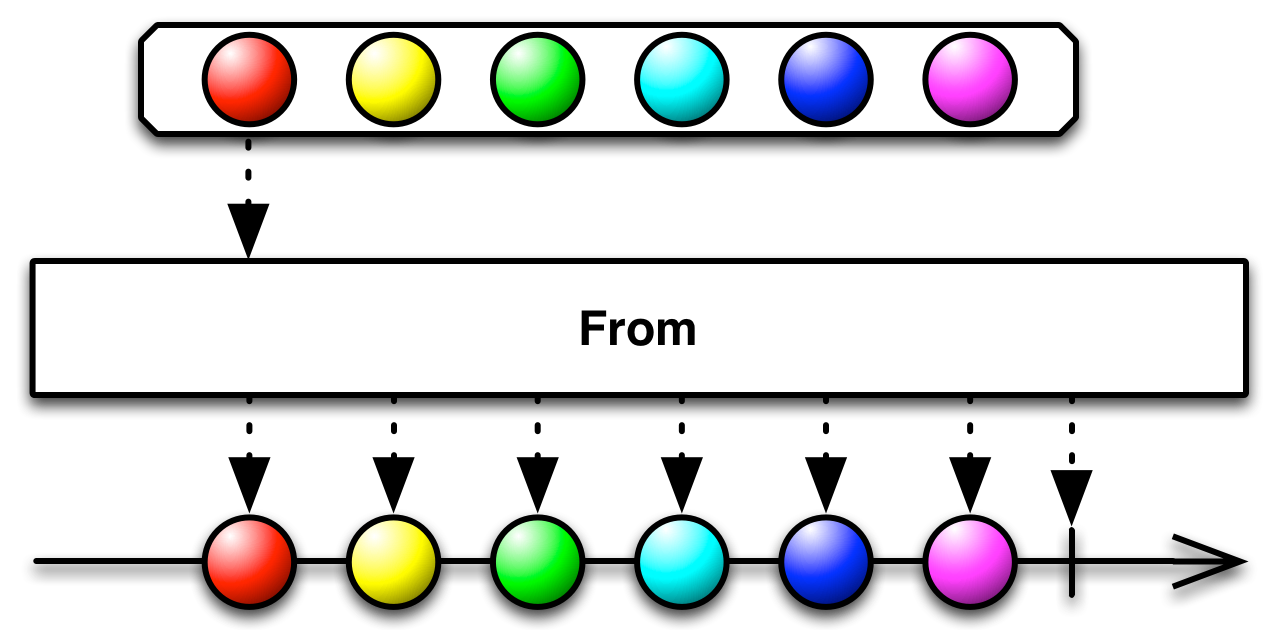
Convert various other objects and data types into Observables.
When you work with Observables, it can be more convenient if all of the data you mean to work with can be represented as Observables, rather than as a mixture of Observables and other types. This allows you to use a single set of operators to govern the entire lifespan of the data stream.
Iterables, for example, can be thought of as a sort of synchronous Observable; Futures, as a sort of Observable that always emits only a single item. By explicitly converting such objects to Observables, you allow them to interact as peers with other Observables.
fun from() {
    val array = arrayOf(1, 2, 3, 4, 5, 6)

    Observable.fromArray(array)
            .subscribe{ result -> println("Next item = ${result.toList()}") }
}
Output:
Next item = [1, 2, 3, 4, 5, 6]
Interval
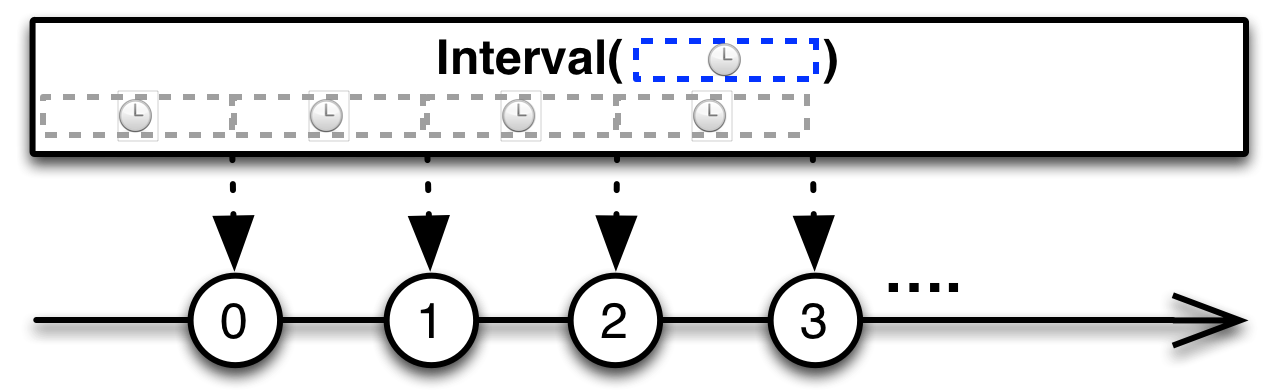
Create an Observable that emits a sequence of integers spaced by a given time interval. The Interval operator returns an Observable that emits an infinite sequence of ascending integers, with a constant interval of time of your choosing between emissions.
fun interval() {
    Observable.interval(1, TimeUnit.SECONDS)
            .subscribe{ result -> println("Next item = $result") }
}
Output (emits with interval 1 second):
Next item = 0
Next item = 1
Next item = 2
Next item = 3
Next item = 4
Next item = 5
Next item = 6
...
Just
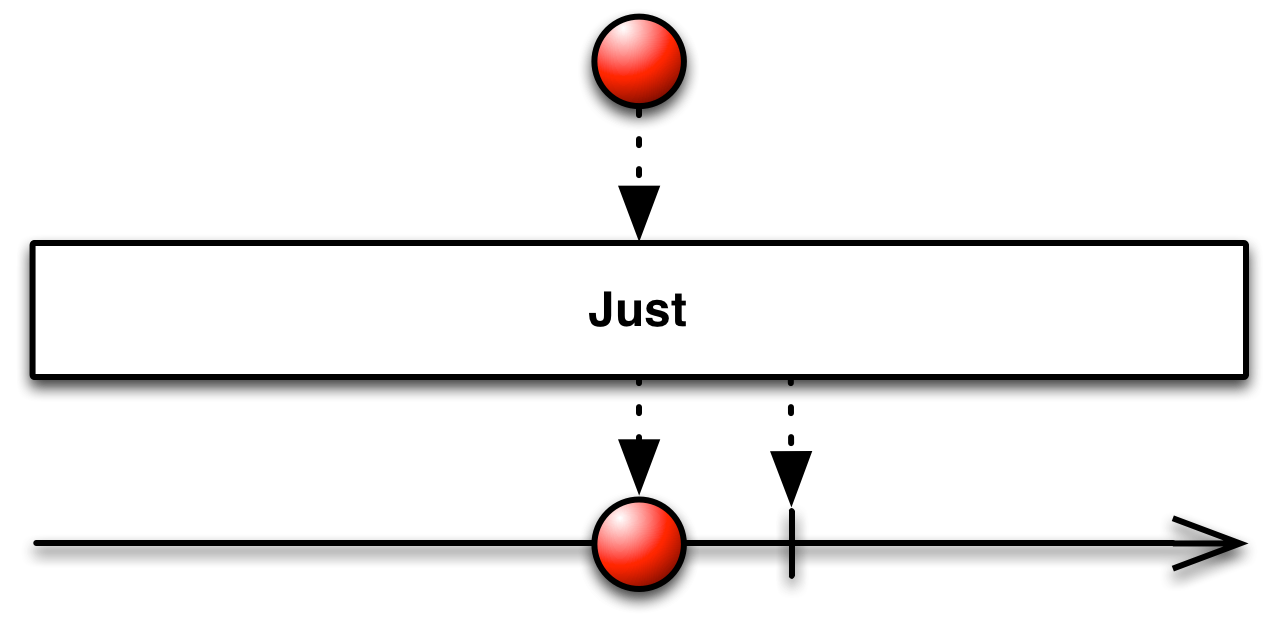
Create an Observable that emits a particular item. The Just operator converts an item into an Observable that emits that item.
Just is similar to From, but note that From will dive into an array or an iterable or something of that sort to pull out items to emit, while Just will simply emit the array or iterable or what-have-you as it is, unchanged, as a single item.
Note that if you pass null to Just, it will return an Observable that emits null as an item. Do not make the mistake of assuming that this will return an empty Observable (one that emits no items at all). For that, you will need the Empty operator.
fun just() {
    Observable.just(1, 2, 3)
            .subscribe(
                    { result -> println("Next item = $result") },
                    { println("onError") },
                    { println("onComplete") }
            )
}
Output:
Next item = 1
Next item = 2
Next item = 3
onComplete
Range
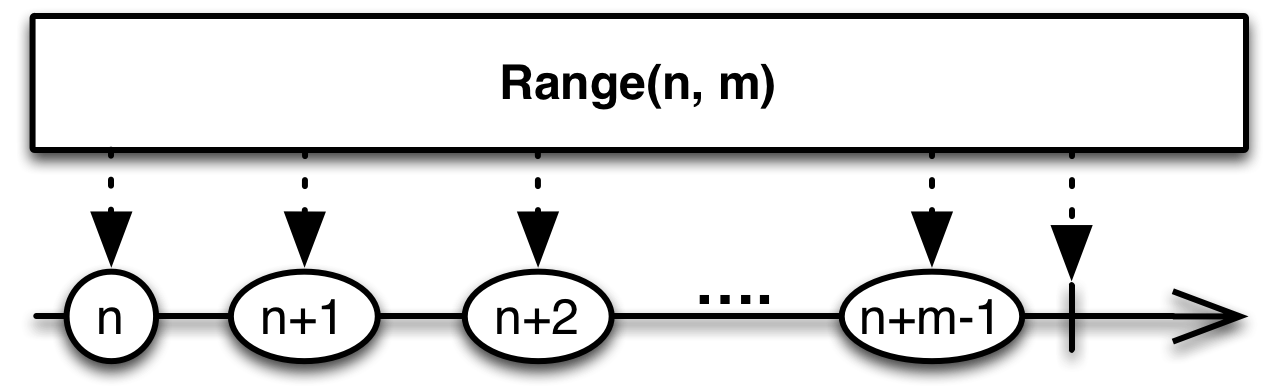
Create an Observable that emits a particular range of sequential integers. The Range operator emits a range of sequential integers, in order, where you select the start of the range and its length.
fun range() {
    Observable.range(0, 5)
            .subscribe(
                    { result -> println("Next item = $result") },
                    { println("onError") },
                    { println("onComplete") }
            )
}
Output:
Next item = 0
Next item = 1
Next item = 2
Next item = 3
Next item = 4
onComplete
Repeat
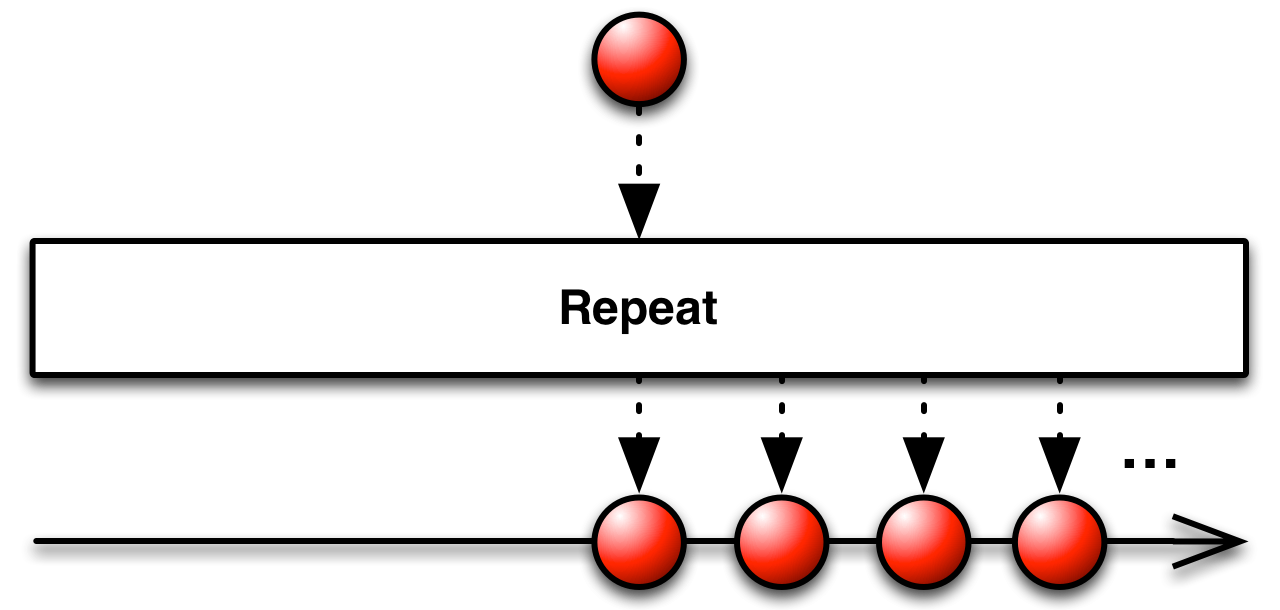
Create an Observable that emits a particular item multiple times. The Repeat operator emits an item repeatedly.
fun repeat() {
    Observable.just(1, 2, 3)
            .repeat(3)
            .subscribe(
                    { result -> println("Next item = $result") },
                    { println("onError") },
                    { println("onComplete") }
            )
}
Output:
Next item = 1
Next item = 2
Next item = 3
Next item = 1
Next item = 2
Next item = 3
Next item = 1
Next item = 2
Next item = 3
onComplete
Start
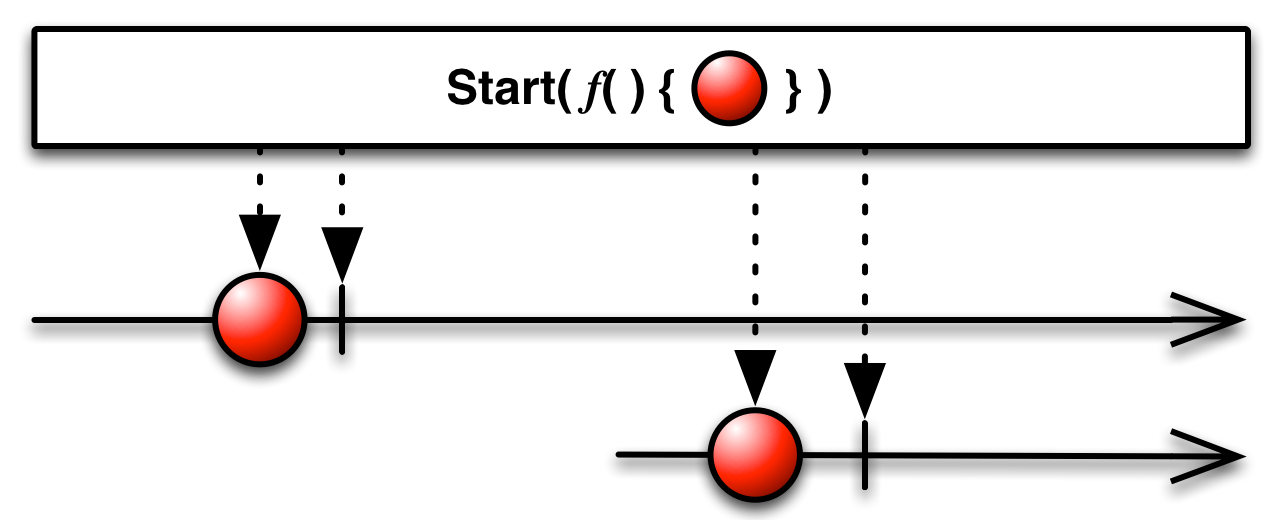
Create an Observable that emits the return value of a function-like directive. There are a number of ways that programming languages have for obtaining values as the result of calculations, with names like functions, futures, actions, callables, runnables, and so forth. The operators grouped here under the Start operator category make these things behave like Observables so that they can be chained with other Observables in an Observable cascade.
In RxJava 2 method - fromCallable represents logic of start operator.
fun start() {
    Observable.fromCallable { someFunction() }
            .subscribe(
                    { result -> println("Next item = $result") },
                    { println("onError") },
                    { println("onComplete") }
            )
}

fun someFunction() = "Example"
Output:
Next item = Example
Timer
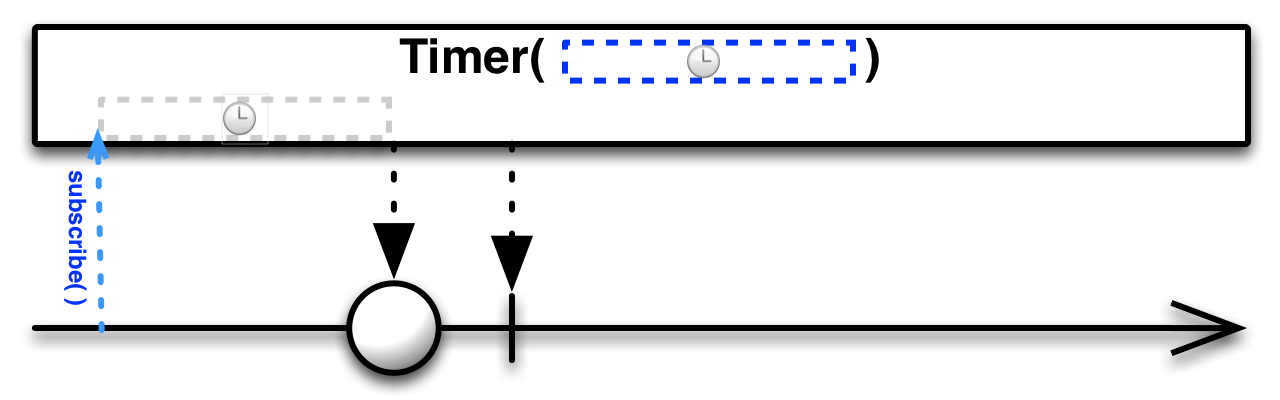
Create an Observable that emits a particular item after a given delay. The Timer operator creates an Observable that emits one particular item after a span of time that you specify.
fun timer() {
    Observable.timer(5, TimeUnit.SECONDS)
            .subscribe(
                    { result -> println("Next item = $result") },
                    { println("onError") },
                    { println("onComplete") }
            )
}
Output (after 5 seconds):
Next item = 0
onComplete
Links
http://reactivex.io/documentation/operators.html
http://reactivex.io/documentation/operators/create.html
http://reactivex.io/documentation/operators/defer.html
http://reactivex.io/documentation/operators/empty-never-throw.html
http://reactivex.io/documentation/operators/from.html
http://reactivex.io/documentation/operators/interval.html
http://reactivex.io/documentation/operators/just.html
http://reactivex.io/documentation/operators/range.html
http://reactivex.io/documentation/operators/repeat.html
http://reactivex.io/documentation/operators/start.html
http://reactivex.io/documentation/operators/timer.html
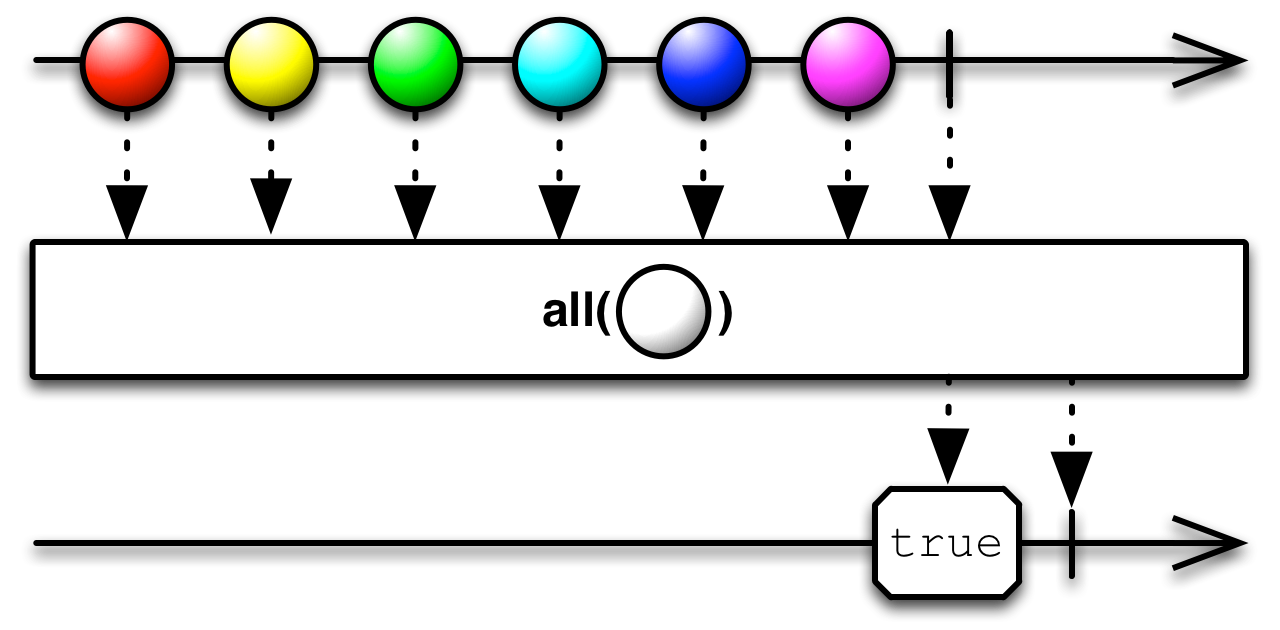 Rx - conditional_all