 Upendra
 Utility Operators
A toolbox of useful Operators for working with Observables:
Delay— shift the emissions from anObservableforward in time by a particular amount;Do— register an action to take upon a variety of Observable lifecycle events;Materialize/Dematerialize— represent both the items emitted and the notifications sent as emitted items, or reverse this process;Serialize- force an Observable to make serialized calls and to be well-behaved;TimeInterval— convert anObservablethat emits items into one that emits indications of the amount of time elapsed between those emissions;Timeout— mirror the sourceObservable, but issue an error notification if a particular period of time elapses without any emitted items;Timestamp— attach a timestamp to each item emitted by anObservable.
Delay
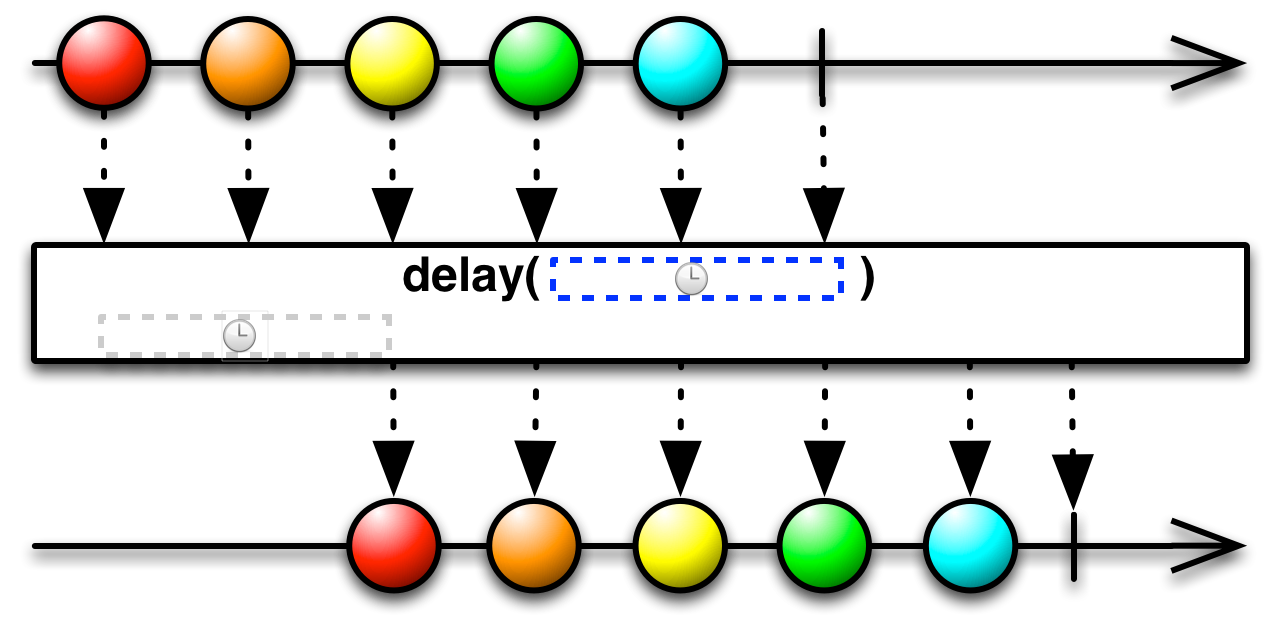
Shift the emissions from an Observable forward in time by a particular amount.
The Delay operator modifies its source Observable by pausing for a particular increment of time (that you specify) before emitting each of the source Observable’s items. This has the effect of shifting the entire sequence of items emitted by the Observable forward in time by that specified increment.
fun delay() {
    Observable.just(1, 2, 3)
            .delay(5000, TimeUnit.MILLISECONDS)
            .subscribe(
                    { result -> println("Next item = $result") },
                    { println("onError") },
                    { println("onComplete") }
            )
}
Output:
Next item = 1
Next item = 2
Next item = 3
onComplete
Do
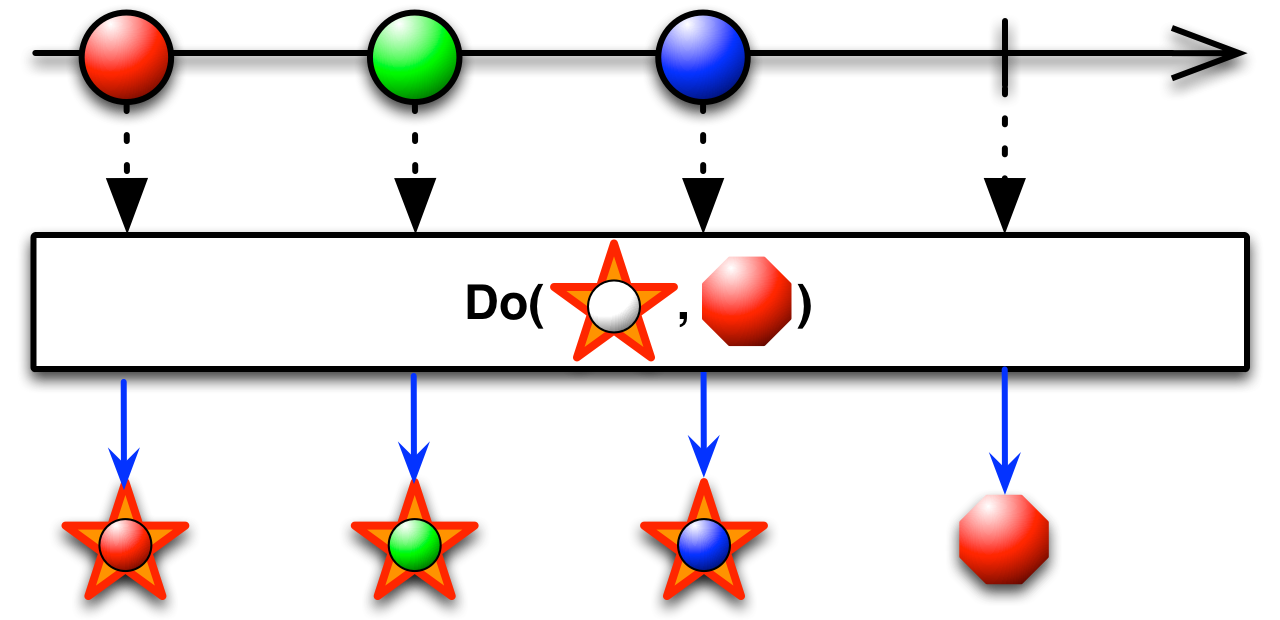
Register an action to take upon a variety of Observable lifecycle events.
You can register callbacks that ReactiveX will call when certain events take place on an Observable, where those callbacks will be called independently from the normal set of notifications associated with an Observable cascade.
fun doExample() {
    Observable.just(1, 2, 3)
            .doOnSubscribe { println("doOnSubscribe") }
            .doOnError { println("doOnError") }
            .doOnEach { println("doOnEach") }
            .doOnTerminate { println("doOnTerminate") }
            .doFinally { println("doFinally") }
            .subscribe(
                    { result -> println("Next item = $result") },
                    { println("onError") },
                    { println("onComplete") }
            )
}
Output:
doOnSubscribe
doOnEach
Next item = 1
doOnEach
Next item = 2
doOnEach
Next item = 3
doOnEach
doOnTerminate
onComplete
doFinally
Materialize/Dematerialize
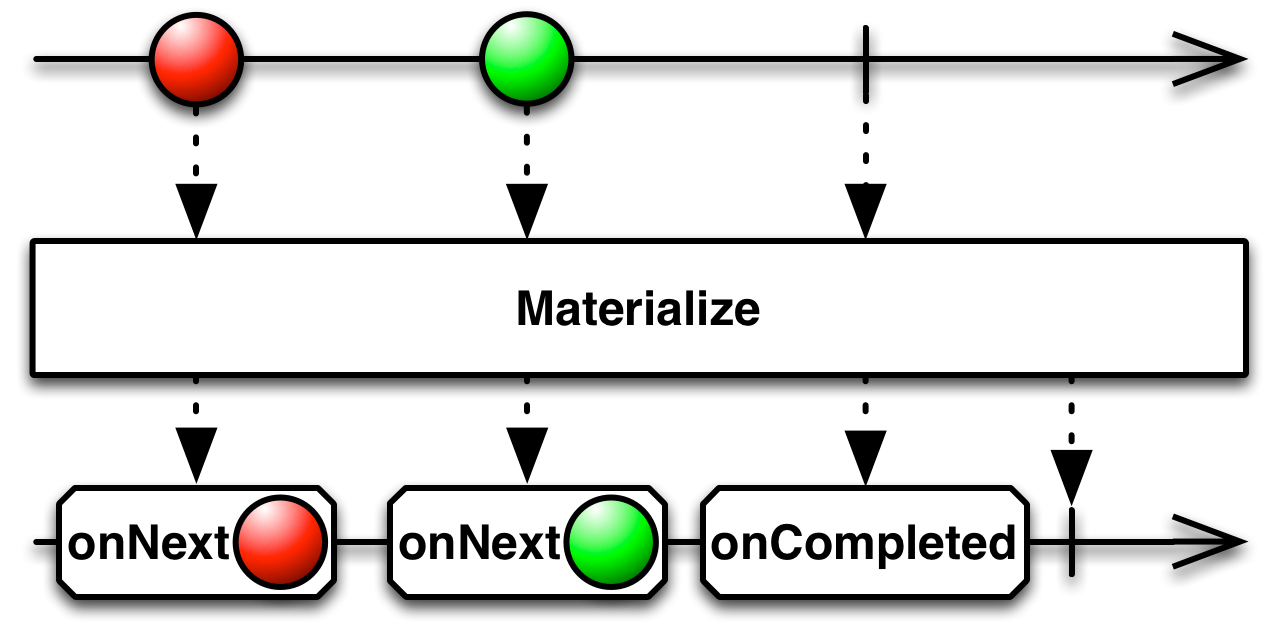
Represent both the items emitted and the notifications sent as emitted items, or reverse this process.
A well-formed, finite Observable will invoke its observer’s onNext method zero or more times, and then will invoke either the onCompleted or onError method exactly once. The Materialize operator converts this series of invocations — both the original onNext notifications and the terminal onCompleted or onError notification — into a series of items emitted by an Observable.
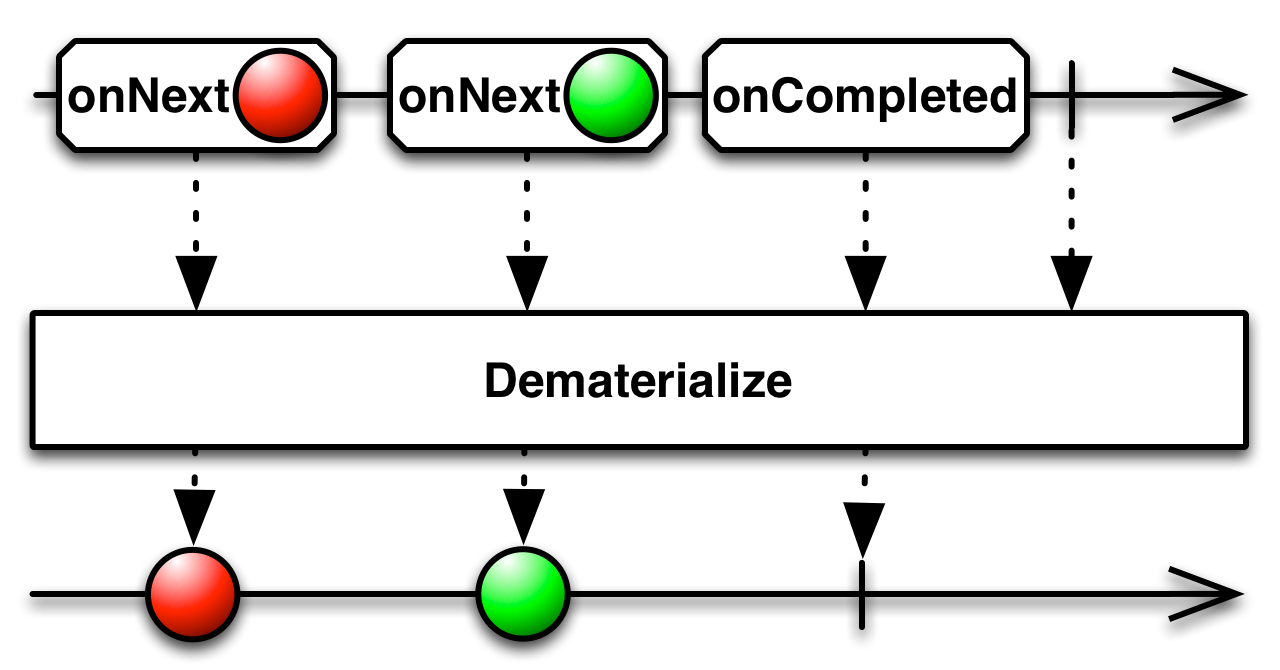
The Dematerialize operator reverses this process. It operates on an Observable that has previously been transformed by Materialize and returns it to its original form.
fun materialize() {
    Observable.just(1, 2, 3)
            .materialize()
            .subscribe(
                    { result -> println("Next item = ${result.value}, isOnNext = ${result.isOnNext}, isOnComplete = ${result.isOnComplete}") },
                    { println("onError") },
                    { println("onComplete") }
            )
}
Output:
Next item = 1, isOnNext = true, isOnComplete = false
Next item = 2, isOnNext = true, isOnComplete = false
Next item = 3, isOnNext = true, isOnComplete = false
Next item = null, isOnNext = false, isOnComplete = true
fun deMaterialize() {
    Observable.just(1, 2, 3)
            .materialize()
            .doOnEach { result -> println("Next item = ${result.value}, isOnNext = ${result.isOnNext}, isOnComplete = ${result.isOnComplete}") }
            .dematerialize<Int>()
            .subscribe(
                    { result -> println("Next item = $result") },
                    { println("onError") },
                    { println("onComplete") }
            )
}
Output:
Next item = OnNextNotification[1], isOnNext = true, isOnComplete = false
Next item = 1
Next item = OnNextNotification[2], isOnNext = true, isOnComplete = false
Next item = 2
Next item = OnNextNotification[3], isOnNext = true, isOnComplete = false
Next item = 3
Next item = OnCompleteNotification, isOnNext = true, isOnComplete = false
onComplete
Next item = null, isOnNext = false, isOnComplete = true
Serialize
Serialize force an Observable to make serialized calls and to be well-behaved
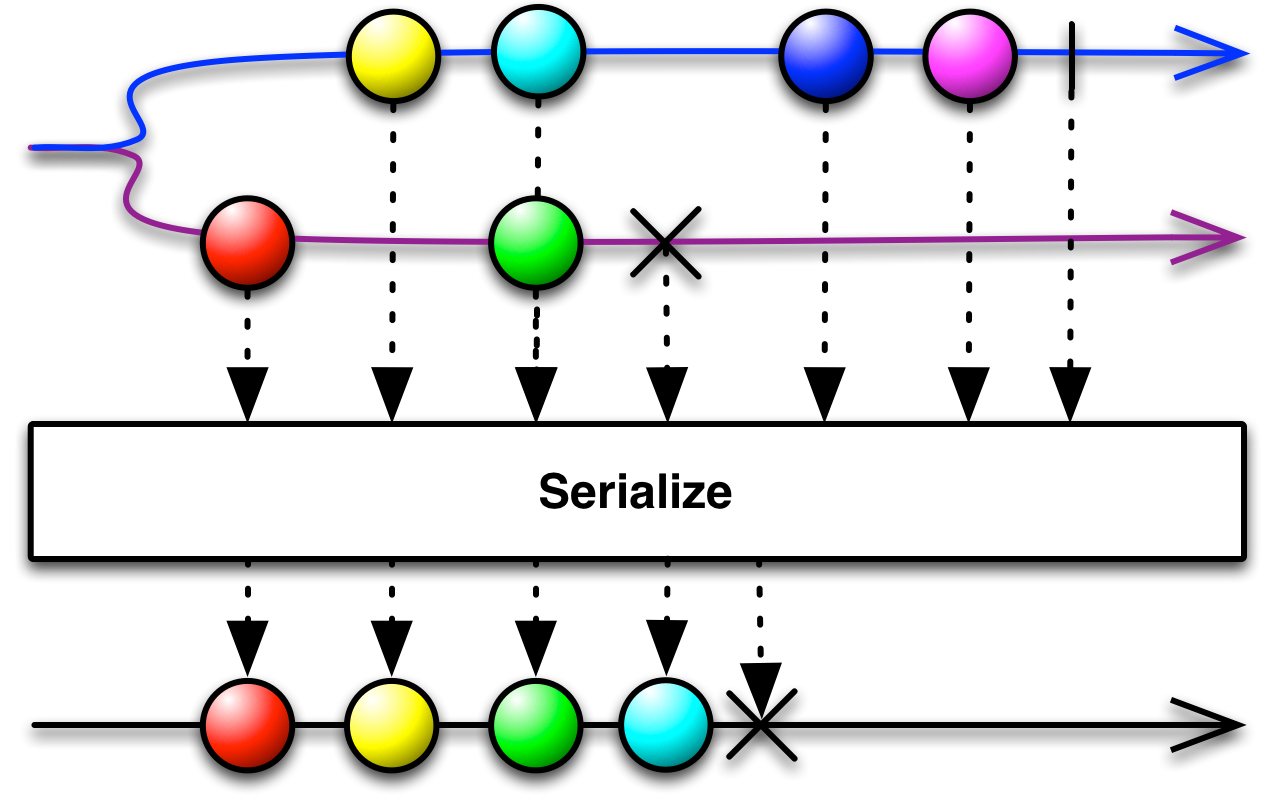
It is possible for an Observable to invoke its observers’ methods asynchronously, perhaps from different threads. This could make such an Observable violate the Observable contract, in that it might try to send an OnCompleted or OnError notification before one of its OnNext notifications, or it might make an OnNext notification from two different threads concurrently. You can force such an Observable to be well-behaved and synchronous by applying the Serialize operator to it.
TimeInterval
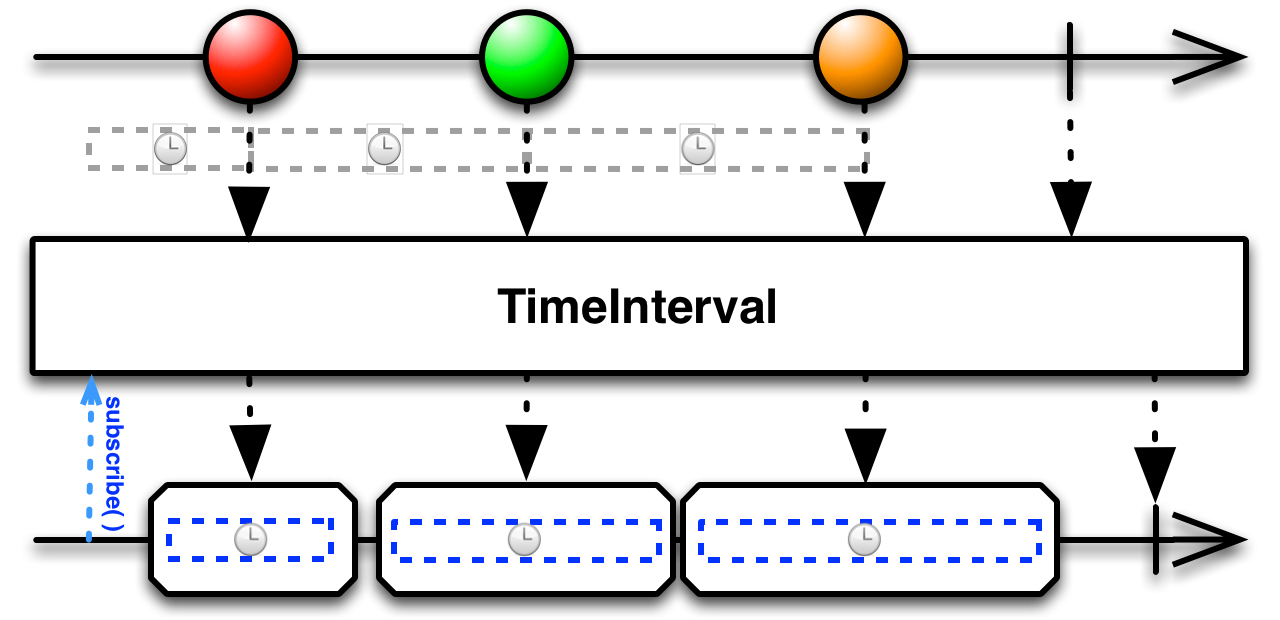
Convert an Observable that emits items into one that emits indications of the amount of time elapsed between those emissions.
The TimeInterval operator intercepts the items from the source Observable and emits in their place objects that indicate the amount of time that elapsed between pairs of emissions.
fun timeInterval() {
    Observable.just(1, 2, 3)
            .doOnEach { Thread.sleep(100) }
            .timeInterval()
            .subscribe(
                    { result -> println("Next item = $result") },
                    { println("onError") },
                    { println("onComplete") }
            )
}
Output:
Next item = Timed[time=100, unit=MILLISECONDS, value=1]
Next item = Timed[time=101, unit=MILLISECONDS, value=2]
Next item = Timed[time=101, unit=MILLISECONDS, value=3]
Timeout
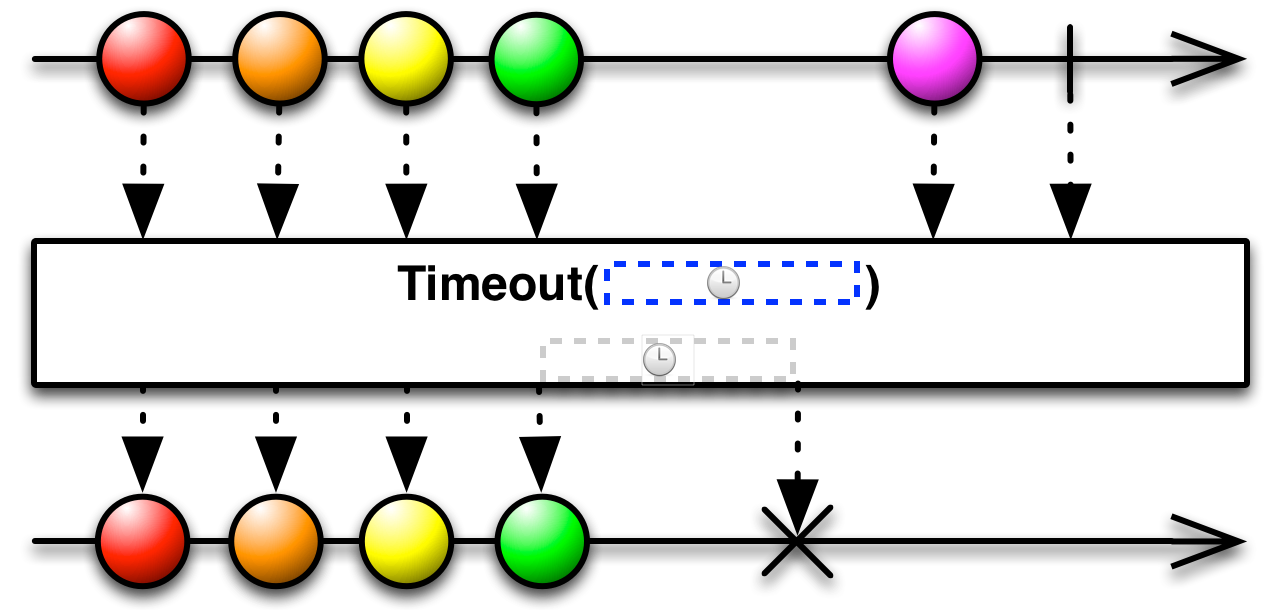
Mirror the source Observable, but issue an error notification if a particular period of time elapses without any emitted items.
The Timeout operator allows you to abort an Observable with an onError termination if that Observable fails to emit any items during a specified span of time.
fun timeout() {
    Observable.just(1, 2, 3)
            .delay(10, TimeUnit.SECONDS)
            .timeout(5, TimeUnit.SECONDS)
            .subscribe(
                    { result -> println("Next item = $result") },
                    { println("onError") },
                    { println("onComplete") }
            )
}
Output:
onError
Timestamp
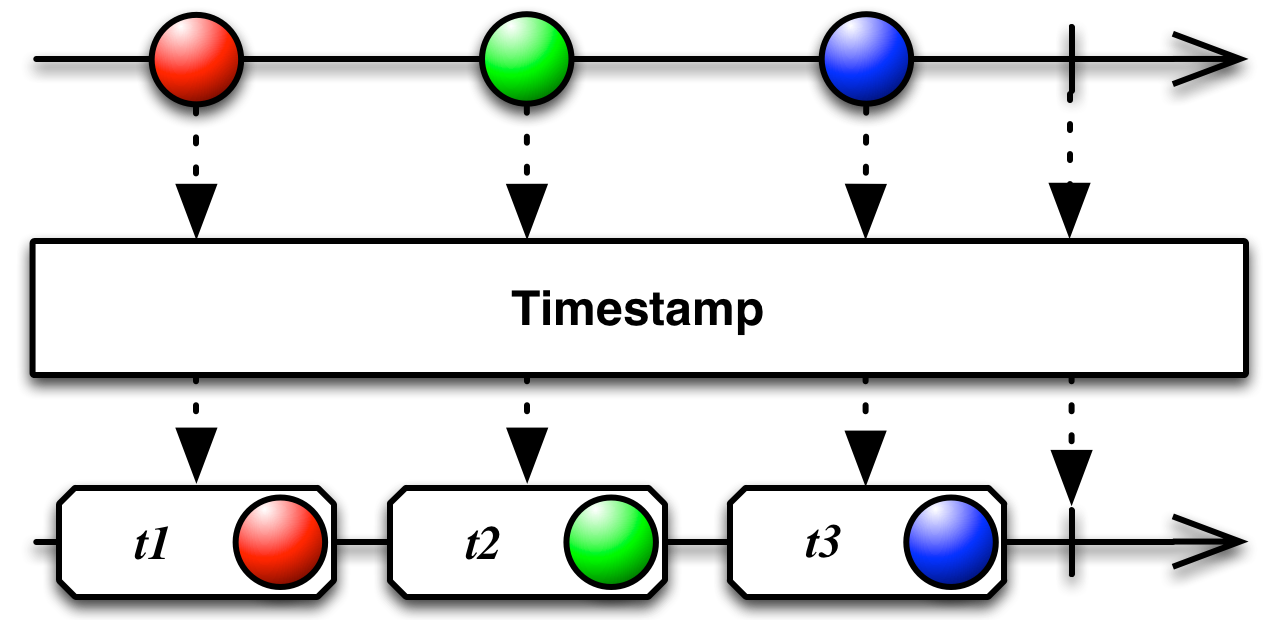
Attach a timestamp to each item emitted by an Observable indicating when it was emitted.
The Timestamp operator attaches a timestamp to each item emitted by the source Observable before reemitting that item in its own sequence. The timestamp indicates at what time the item was emitted.
fun timestamp() {
    Observable.just(1, 2, 3)
            .doOnEach { Thread.sleep(Random.nextLong(500)) }
            .timestamp()
            .subscribe(
                    { result -> println("Next item = $result") },
                    { println("onError") },
                    { println("onComplete") }
            )
}
Output:
Next item = Timed[time=1611049386339, unit=MILLISECONDS, value=1]
Next item = Timed[time=1611049386471, unit=MILLISECONDS, value=2]
Next item = Timed[time=1611049386645, unit=MILLISECONDS, value=3]
Links
http://reactivex.io/documentation/operators.html
http://reactivex.io/documentation/operators/delay.html
http://reactivex.io/documentation/operators/do.html
http://reactivex.io/documentation/operators/materialize-dematerialize.html
http://reactivex.io/documentation/operators/timeinterval.html
http://reactivex.io/documentation/operators/timeout.html
http://reactivex.io/documentation/operators/timestamp.html
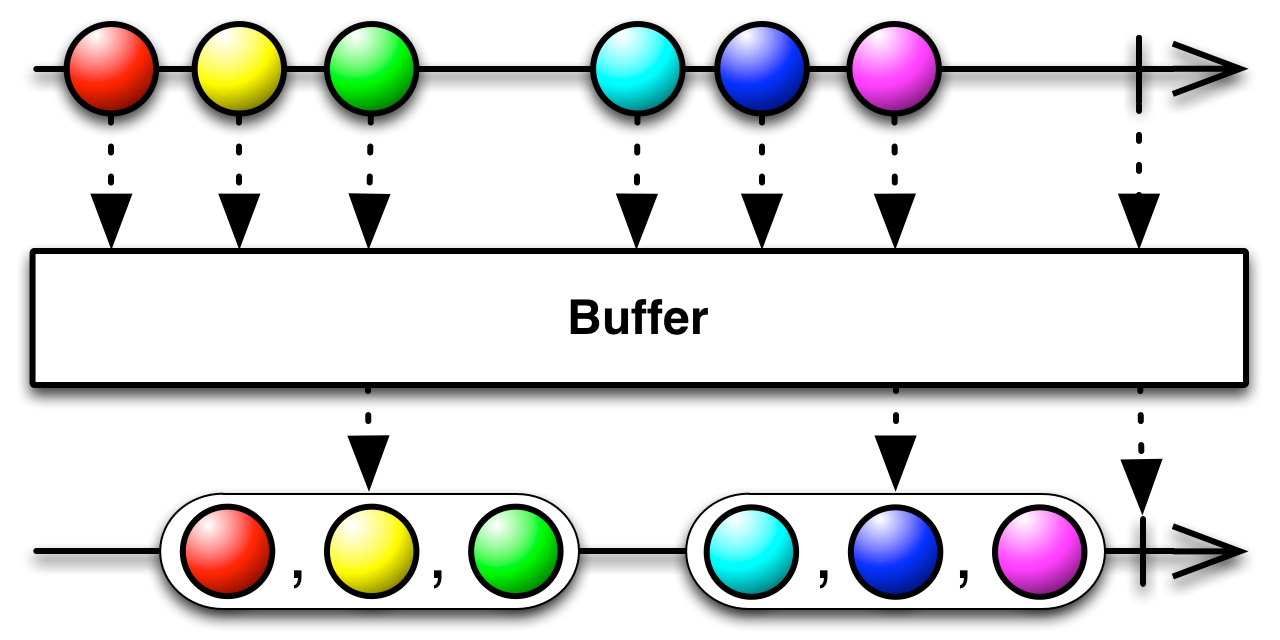 Rx - transforming_buffer