 Upendra
From the Google-android source code
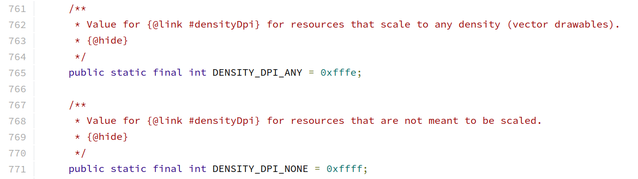
nodpi: Fallback
-
A drawable inside the
res/drawable-nodpi/folder is valid for any screen density. Eg. drawable-nodpi/ic_icon.png The above icon will will look small onxxxhdpidevices and big onldpidevices.drawable-hdpi/ic_icon.png drawable-nodpi-21/ic_icon.xml In android 21 hdpi devices
ic_icon.pngwill be used and in android 21 xhdpi devicesic_icon.xmlwill be used.
anydpi: Takeover
-
A drawable inside
drawable-anydpiis also valid for any screen density but anydpi variant has more priority over any density specific variant.Eg. If we have res/drawable-anydpi/ic_icon.xml and res/drawable-xxxhdpi/ic_icon.png then
ic_icon.xmlwill be used even in xxxhdpi devices.-Most of the times
-anydpiused in conjunction with other qualifiers. A good example isanydpi-v21as vector drawables were introduced in android 21 , so after that we usually haveres/drawable-anydpi-v21/ic_icon.xml(Vector drawable) andres/drawable-xxhdpi/ic_icon.png. The vector drawable (ic_icon.xml) will be used in all android 21+ devices andic_icon.pngwill be used in xxhdpi devices runing in android 4.4 or older